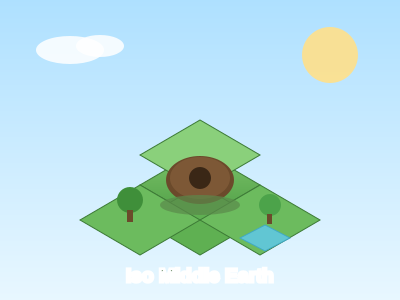
Iso Middle Earth
An isometric Middle-earth realm builder. Pick a realm (Shire, Mordor, Rivendell,...
Iso Middle Earth
📖 How to Play
1) Pick a realm from the top location dropdown. 2) Select a terrain tile in the asset picker, then click or drag on the grid to paint. 3) Switch to characters/structures to place hobbits, trees and buildings. 4) Right-click a tile to clear it; use Undo (Cmd/Ctrl+Z) to step back. 5) Export your creation as PNG or JSON — progress auto-saves to localStorage.
📚 Complete Game Guide
id: "isomiddleearth" slug: "isomiddleearth" title: "Iso Middle Earth" description: "An isometric Middle-earth realm builder. Freely choose a realm, paint terrain tiles, and place hobbits and structures to craft your own corner of Middle-earth — then export as PNG or JSON to share." category: "building" tags: ["isometric", "builder", "middle-earth", "creative", "tolkien", "sandbox"] difficulty: "Easy" estimatedTime: "Endless creativity" featured: true createdAt: "2026-08-02"
Iso Middle Earth - Isometric Realm Builder
Game Overview
Iso Middle Earth is an isometric realm-building sandbox set in the world of Tolkien's Middle-earth. No internet, no sign-up — just open and play. Pick a realm (the Shire, Gondor, Mordor, Rohan, Lothlórien, Moria, Rivendell, or a Mixed landscape), freely paint terrain tiles across a grid, and place hobbits, trees, buildings, and decorations to assemble your own Middle-earth domain like a box of LEGO.
All progress is auto-saved in your browser (localStorage), so it won't be lost when you close the tab. Come back anytime to keep creating, or export your work as an image or a JSON file to share with friends.
Features
- Multiple realm themes — the peaceful countryside of the Shire, the scorched wastes of Mordor, the elven sanctuary of Rivendell… each realm ships its own set of terrain tiles.
- Isometric art — classic 2.5D isometric view gives your map instant depth and Middle-earth atmosphere.
- Free creation — adjustable grid size (3×3 up to 20×20); build as big as you like.
- Rich assets — hobbits, trees, all kinds of buildings and decorations, placed exactly where you want.
- One-click export — render your creation as a PNG image, or export a JSON project file to keep editing later.
- Pure client-side — zero backend, zero database. Runs smoothly locally; your data lives only in your own browser.
How to Play
1. Choose a Realm
After entering the game, pick a Middle-earth realm from the location dropdown in the top toolbar — e.g. "Shire", "Mordor", "Rivendell", or "Mixed". The realm you choose determines the terrain style available to you.
2. Paint Terrain
- In the Asset Picker, select a terrain tile (grass, road, water, rock, etc.).
- Click a cell on the canvas grid, or click-and-drag to paint that tile continuously — fill the landscape like drawing.
- Right-click any cell to clear it back to empty land, making re-planning easy.
3. Place Characters & Buildings
- Switch the Asset Picker to the characters/buildings category and choose hobbits, trees, houses, and more.
- Click a target cell on the grid to place the item; right-click also clears it.
- Combine terrain + buildings + characters to gradually assemble a village, a fortress, or an entire kingdom.
4. Adjust & Undo
- The grid size button in the top toolbar resizes the map (note: changing size resets the current map).
- The Undo button steps back through your last actions (shortcut
⌘/Ctrl + Z). - The Clear button resets everything to a blank map so you can start over.
5. Save & Export
- Export PNG — render your current creation into an image downloaded to your device.
- Export / Import JSON — save the whole map as a JSON project file; import it next time to keep editing.
- The game auto-saves to your browser, so reopening the page restores your last creation automatically.
Controls
- Mouse / Touch — click or drag on the grid to paint tiles; right-click to clear a single cell.
- Switch assets — use the bottom or side Asset Picker to select different tiles, characters, and building categories.
- Switch realm — use the top dropdown to change the Middle-earth realm theme.
- Keyboard shortcut —
⌘ / Ctrl + Zto undo the last step. - Grid size — top toolbar button adjusts the map's width/height (3–20).
Tips
- Lay down "grass + roads" to form a main street first, then place houses and hobbits along it — your work will feel more layered.
- Want a riverside town? Switch to a realm with water and use river/lake tiles to frame a harbor.
- Before exporting a PNG, hit "Clear" and try a few versions to pick your favorite to share.
- Your work is saved locally — switching browsers or clearing cache will lose it, so export a JSON backup for anything important.
🎮 Controls
Share This Game
🎮 Related Games
Island Builder
Build your dream island! Place houses, trees, decorations and watch your island come to life.
Tiny World Builder
A charming voxel-style 3D world builder powered by Three.js. Place blocks and create!

Mindustry Classic
The classic build of Mindustry — an open-source factory-building tower-defense game. Mine resources, build conveyor belts, craft ammo, and defend your core from endless waves of enemies. Pure browser version based on build 40.
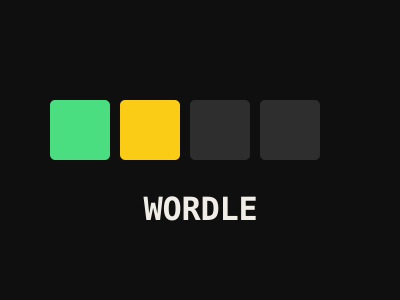
Wordle
The viral daily word puzzle! Guess the 5-letter word in 6 tries. Green = correct, Yellow = wrong position, Gray = not in word.
💬 Comments
Coming soon! Sign in to leave a comment.